Force Q2, Reagent Ranks, and Sortable Favourites
Added
- Force Q2 toggle on the Crafting Dashboard — recalculates every recipe's profit assuming Quality 2 reagents, instead of always showing the auto-picked best tier.
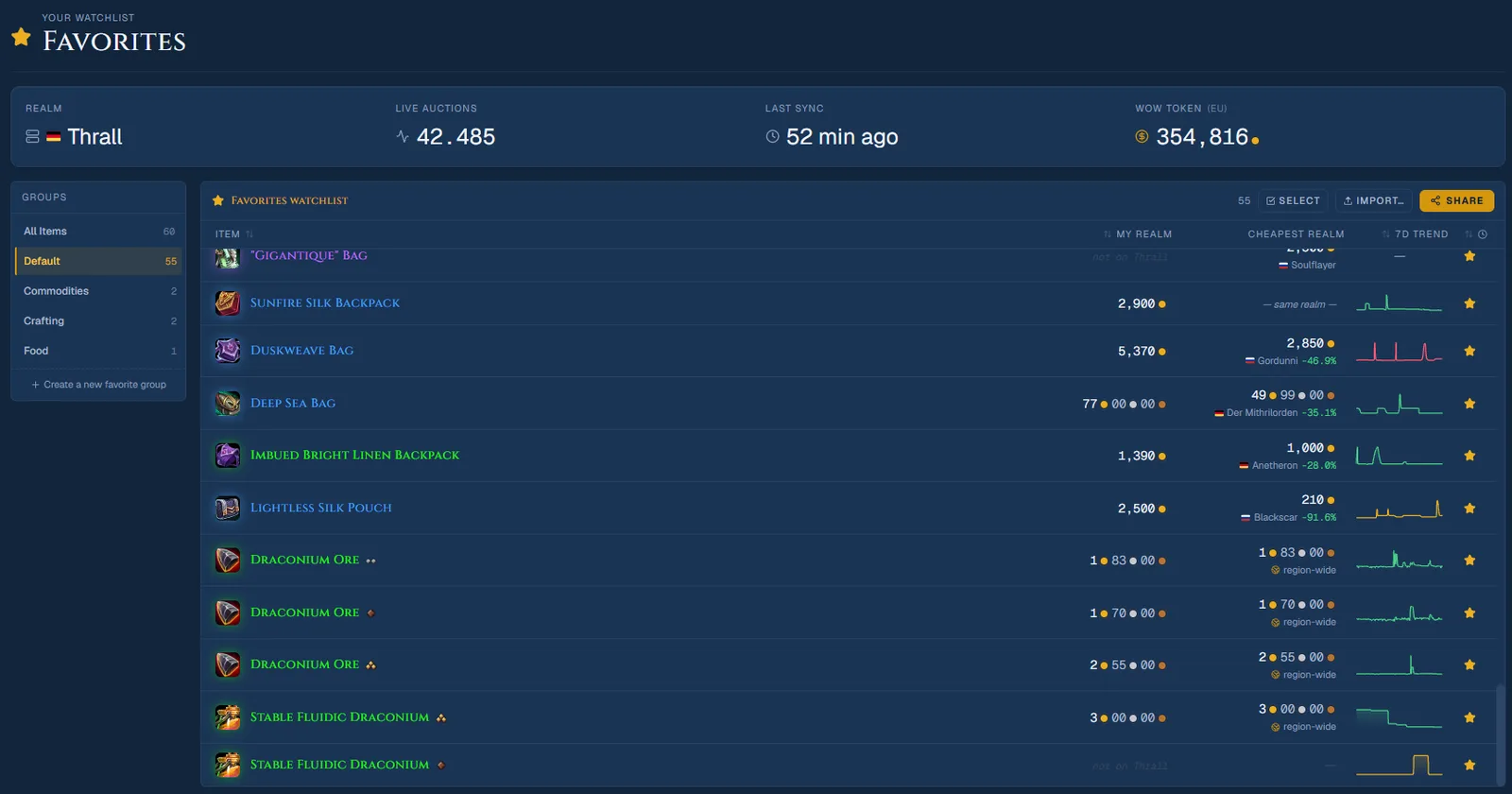
- Reagent rank icons — graded raw materials (Draconium Ore, Serevite Ore, etc.) now show their Rank 1/2/3 via the official Blizzard quality-tier icon in search results, Favourites, and item detail pages.
Improved
- Favourites watchlist — columns are now sortable (name, cheapest price, added date, 7-day trend). Click a column header to cycle ascending → descending → back to your original order.
Fixed
- Multi-tier profession equipment search — items like the Sin'dorei Quill that are craftable at several item levels no longer collapse into a single, misleadingly-cheap search result. Each item-level variant now shows as its own row with its own price.
Details
Some raw materials — like Draconium Ore or Serevite Ore — exist as three separate items that all share the exact same name on the Auction House. Previously the only way to tell a Rank 1 from a Rank 3 was to open each listing individually. The new rank icon uses the same official quality-tier graphic Blizzard already shows in the in-game professions UI, so it should look instantly familiar.
The Force Q2 toggle sits right next to "Only profitable" in the Crafting Dashboard toolbar — flip it on and the whole recipe list recalculates around Quality 2 crafting, no per-recipe digging required.
For gear with multiple craftable item levels, search results now expand into one row per tier (each with its own listing count and price), so you can pick the exact version you're tracking instead of only ever seeing the cheapest one.